Plantronics headset integration
You can use Plantronics headset or call control unit accessory functional buttons Answer, Reject, Hangup and Hold\Unhold to control call.
Plantronics headset integration setup
1. Download and install Plantronics Hub from Plantronics official web-site.
2. Open Settings - Main section.
3. Enable Plantronics headset integration checkbox:
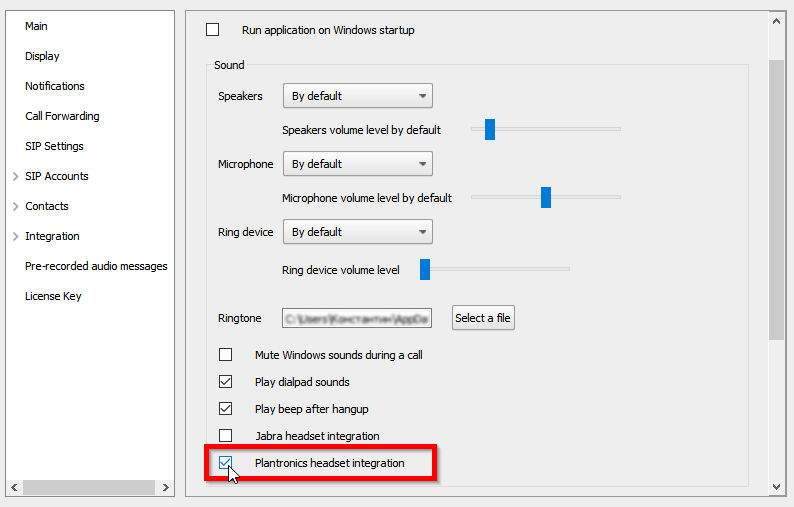
4. Click Save button.
5. Test your Plantronics headset functional buttons by making a test call in softphone.