SIP account setup
1. Click the main menu button in the top-left corner of main window.
2. Click Settings in the main menu.
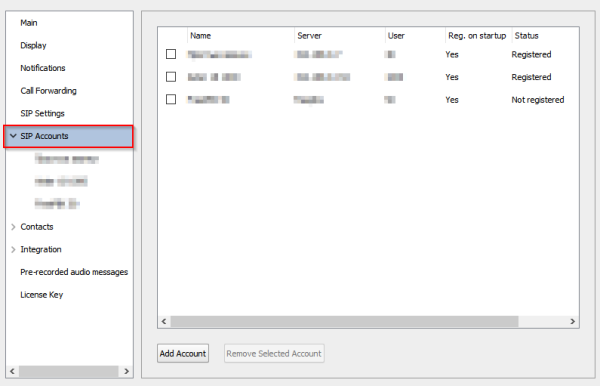
3. Navigate to SIP Accounts section at the left panel:
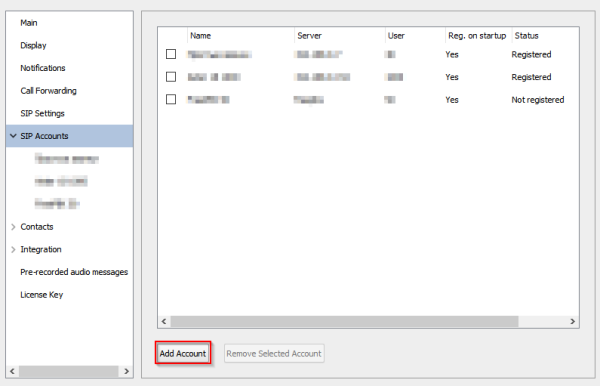
4. Click Add Account button:
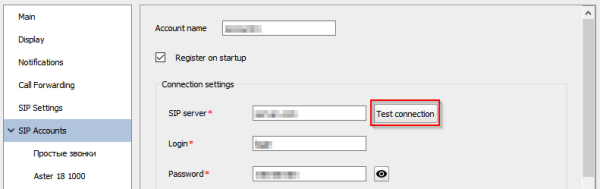
5. Enter your SIP account settings in the appropriate fields:
- Account name - account display name
- Register on startup - program does SIP registration for this account if you check this option. If you don't check this option, then program doesn't register on a SIP server, so you might not be able to place or receive calls.
- SIP server - SIP server hostname or IP address. Program uses 5060 port to connect a SIP server by default. You can define other port using that format: sipserver:5061.
- Login - user name, account, login
- Password - user password
- Display name - callee sees this name
- Authorization name - program uses Login for authorization if this field is empty
- Domain - SIP domain
- SIP proxy - SIP proxy
6. Click Test Connection button. You'll see the Successful registration message if softphone can register on a SIP server.
7. Click Save button to save your SIP account settings.